Bring a reference.
Send a competitor ad from Ad Intelligence in one click, upload your own video or start from a Pantheon template.
Ad Clone
Turn a competitor creative, uploaded video or Pantheon template into an editable ad for your app. Ad Clone analyses the reference scene by scene, then rebuilds its narrative with your product. Inspect every layer in X-Ray and describe your changes in Vibe Edit.
Start free Explore the workflow ↓A useful reference gives you a structure: how it opens, introduces the product and moves towards a call to action. Ad Clone extracts that structure, including scenes, text, voice and rhythm, then makes it available for your own creative production.
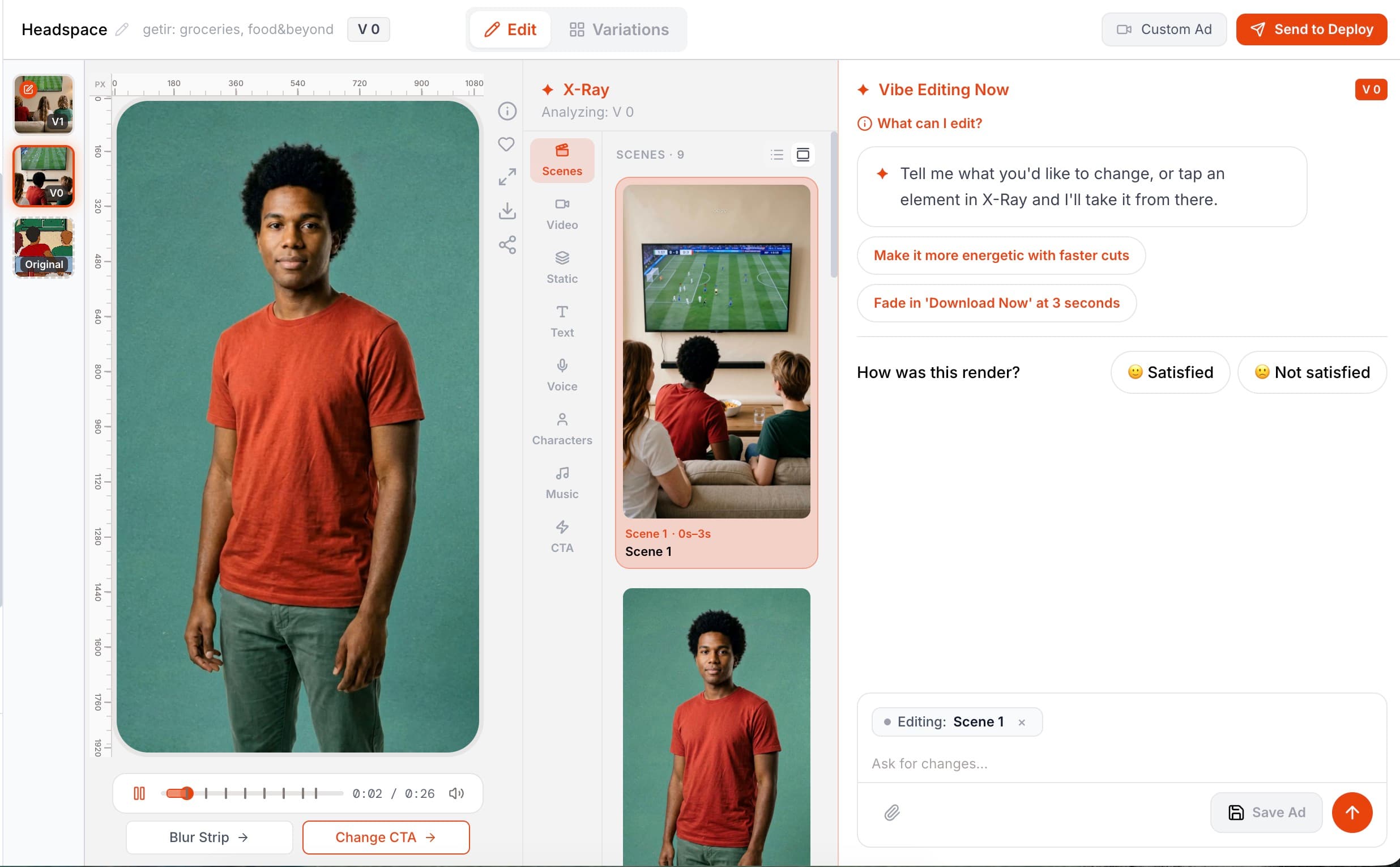
See how a reference becomes the starting point for a new creative, then explore real output examples in the editor.
The setup recording and output examples show separate projects.
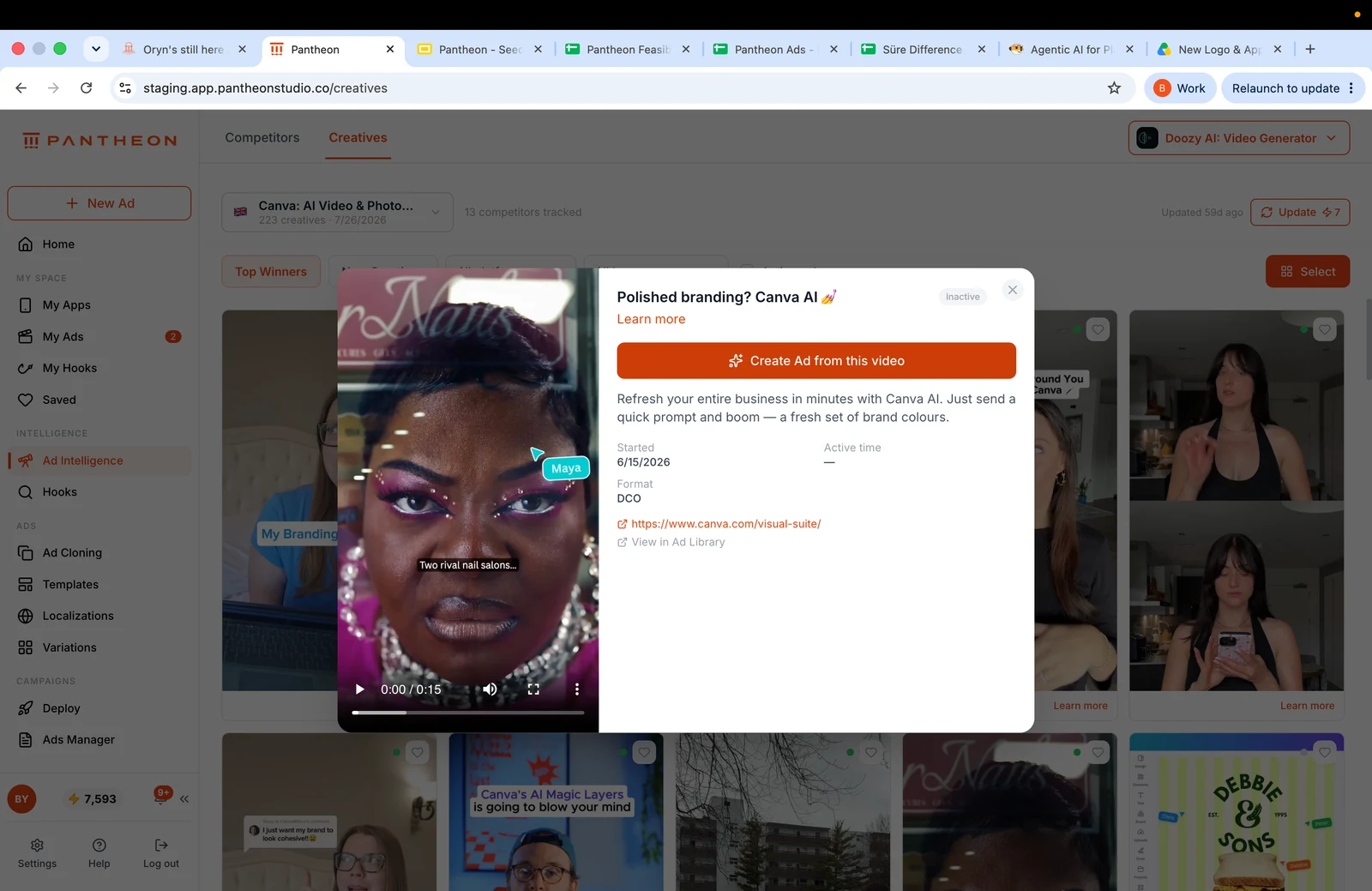
Send a competitor ad from Ad Intelligence in one click, upload your own video or start from a Pantheon template.
Open X-Ray to review scenes, video assets, static assets, text, voice, characters, music and CTA. Each element includes its preview, generation prompt and time range.
Describe what you want to change in Vibe Edit. Select an X-Ray element to target it precisely, then review the new version and keep the result you prefer.
Eight X-Ray categories expose the composition. Understand which asset, voice line or text layer belongs to a moment before deciding what to change.
Ask for a different setting, voice or music direction. Follow up on an earlier change or ask to undo it; the conversation keeps its context.
Upload music, fonts and character photos, or use your own screen recording as product footage. Keep the creative connected to the app people will actually use.
Each edit creates another version. Move between alternatives, save the one you like and discard an unwanted direction.
An illustrative brief to show how the workflow can be used—not a customer result or a performance guarantee.
Pantheon's Ad Clone rebuilds a working ad around your app rather than downloading it and swapping a logo. The source video is broken into scenes; what each scene shows, who appears, what text is on screen, what the voiceover says, the music and the editing rhythm are extracted, and that structure is regenerated with your product. Same narrative skeleton, new ad.
Three places: a competitor creative found in Pantheon's Ad Intelligence (one-click hand-off), a video you upload yourself, or a Pantheon template. For uploaded reference videos, Pantheon predicts the render cost as a low–estimate–high band before you commit.
Yes. Pantheon's X-Ray panel breaks the finished ad into eight categories — Scenes, Video Assets, Static Assets, Text Assets, Voice Assets, Characters, Music and CTA — and shows, for each element, its generation prompt, a preview and the exact seconds it appears in the video. Selecting an element in X-Ray targets it for editing.
Ad Clone is designed to reconstruct a reference’s creative approach for your product. That design is not a legal clearance or a guarantee that every reference or output is permissible to use. Use assets and likenesses you are authorized to use, review the resulting creative, and seek qualified advice where rights are unclear.
COMPARE YOUR OPTIONS
Start with your app. Review the work. Decide what comes next.
Start free ↗