From winning creative to your ad. One click.
Pick a competitor’s winning creative and generate a new ad inspired by it in one click. Pantheon adapts the creative pattern to your app and brand. You can also start from your own idea or upload.
Ad Create & Clone
Turn your competitors’ winning creatives into inspiration for your next ad in one click. Generate an original video for your app, then shape the scenes, copy, voice and music with a simple prompt.
Performance results from our Meta Ads campaigns · 2026
Explore real ad outputs, then look inside the video, image, text, voice, character and music layers in X-Ray.
Real product recordings and screenshots from different app projects. Select a screenshot to view it at full size.
See how a reference becomes the starting point for a new creative, then explore real output examples in the editor.
The setup recording and output examples show separate projects.
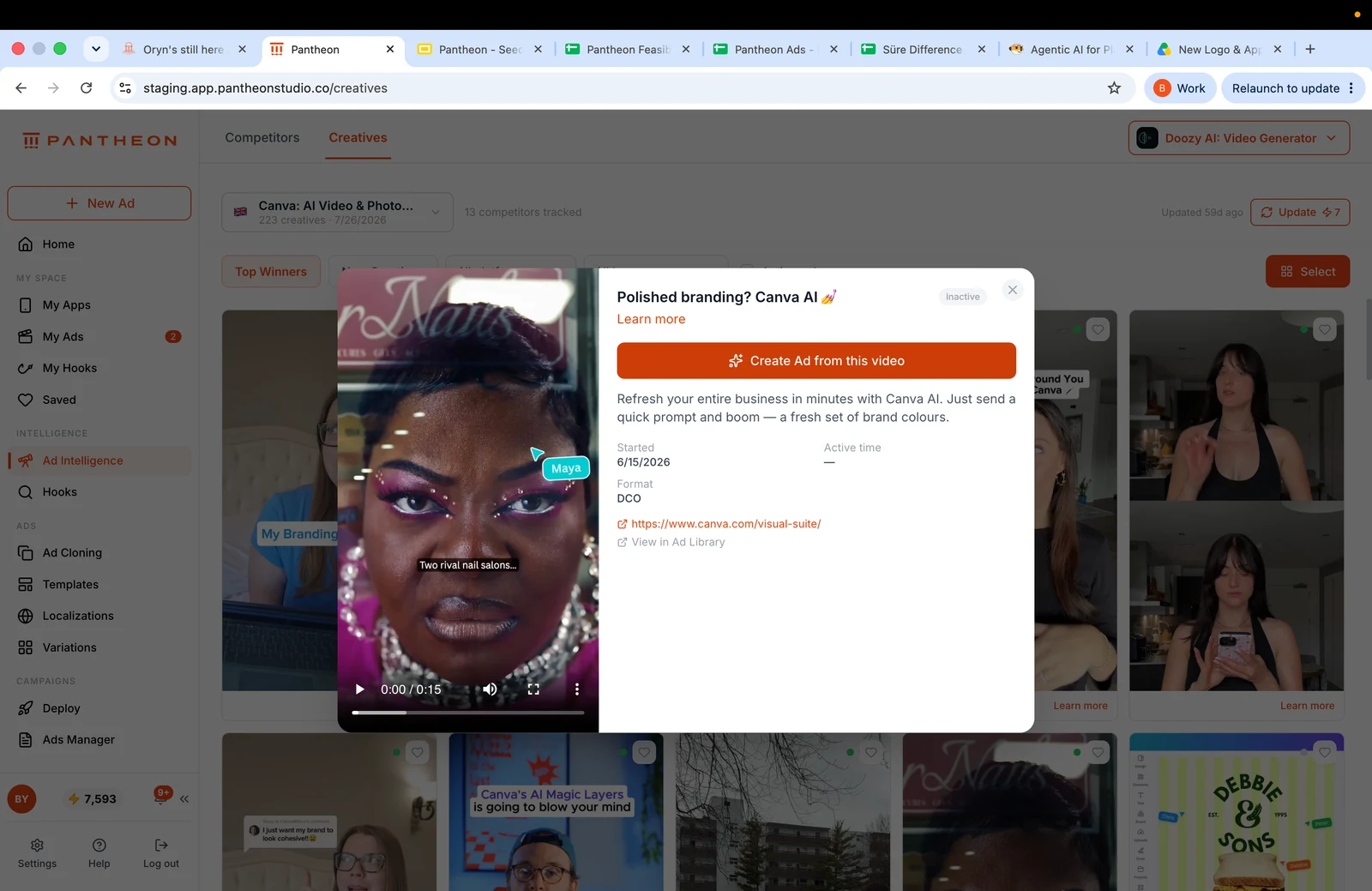
Pick a competitor’s winning creative and generate a new ad inspired by it in one click. Pantheon adapts the creative pattern to your app and brand. You can also start from your own idea or upload.
Explore scenes, characters, captions, voice and music. Describe the change you want instead of rebuilding a timeline by hand.
Explore different concepts together, review the output and keep refining the strongest version before making variations.
COMPARE YOUR OPTIONS

Breaks any ad into editable assets you can swap, prompt, or rebuild until it lands.
You won’t brief Serafine directly. You approve her drafts in Oryn’s thread.