Describe the change.
Write naturally, in your own language. Ask for a new setting, a calmer delivery or a different headline. You can include several edits in one message.
Vibe Edit
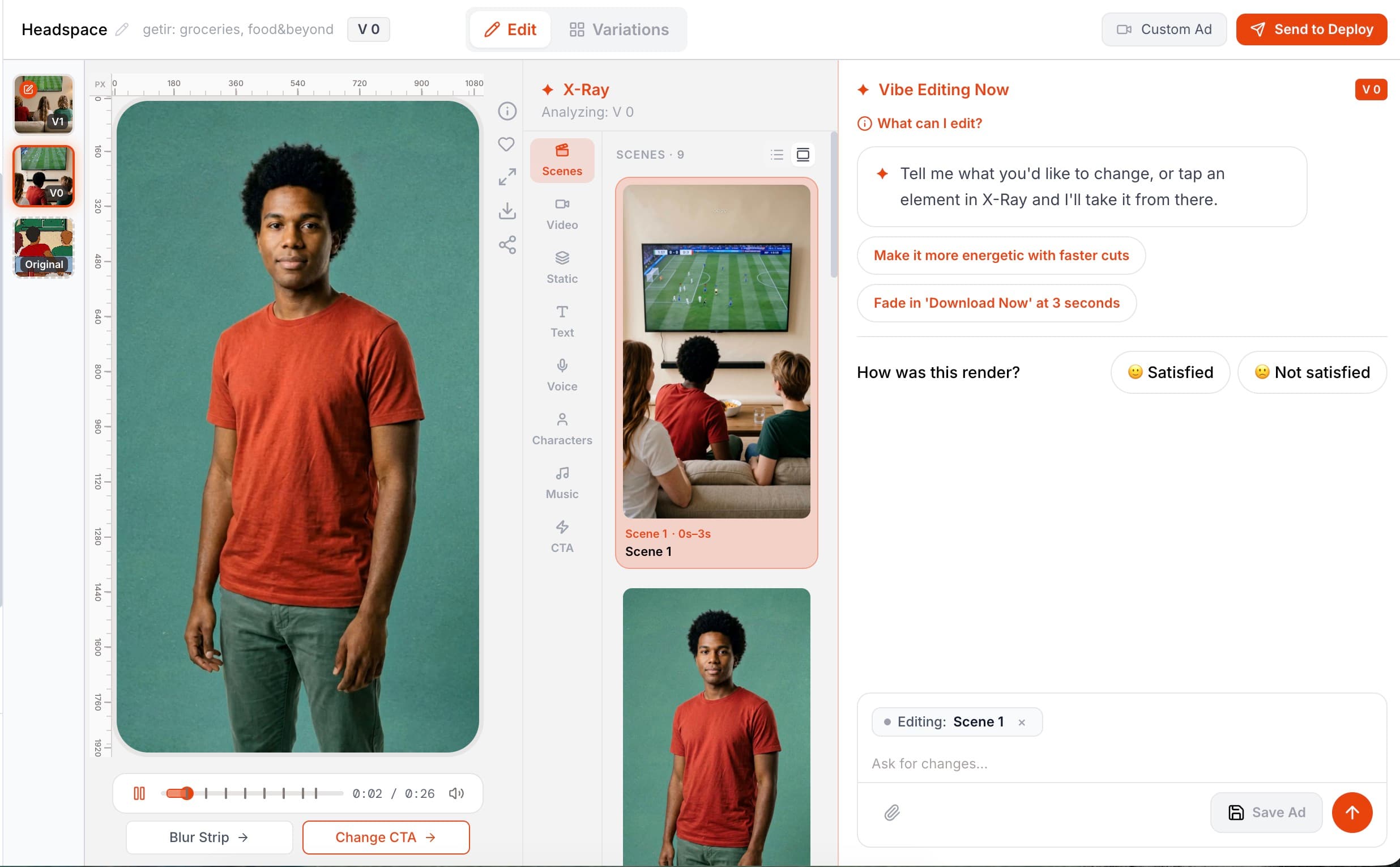
Edit your video ad in plain language. Change the headline, setting, voice, music or character—and let Pantheon apply the request to the right part of the composition. No timeline or keyframes to learn. Just a conversation, a new version and the choice to keep it.
Start free Explore the workflow ↓Every generated ad is a layered composition of scenes, visuals, text, voice and music. Vibe Edit understands which parts your request concerns and rebuilds the ad from those layers. One sentence can change several surfaces together: a new headline, more energetic music and a different character can be applied in the same render.
One ad, three editing requests. Compare the starting video with the character and caption edits below, then see the actual conversation inside Pantheon.
STARTING VIDEO
EDITED RESULT
“Make this woman a middle-aged, blonde, white American homemaker.”
A new character across the ad’s scenes.
Request translated from the original Turkish conversation.View the original conversation ↗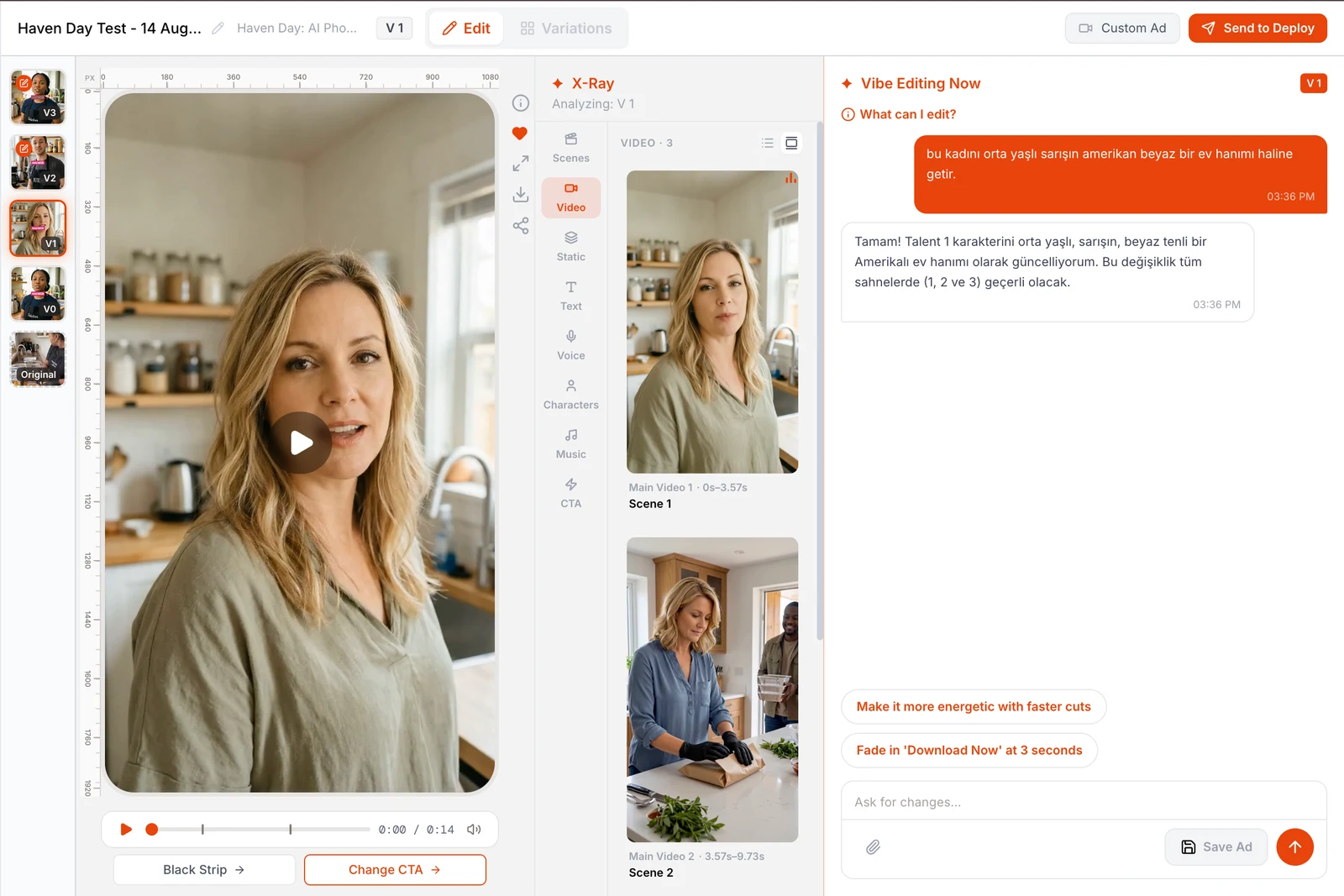
Write naturally, in your own language. Ask for a new setting, a calmer delivery or a different headline. You can include several edits in one message.
Select an element in X-Ray, refer to a timestamp or let Vibe Edit infer the target from your request. “Change the video at 12 seconds” points to the element on screen at that moment.
Compare versions, keep the one you like or discard a result. Vibe Edit tells you which changes were applied and calls out any request it could not complete.
Update the text layers in your scenes.
“Change the headline to “Try it free”.”
Change what the narrator says.
“Mention the price in the voiceover.”
Regenerate images or clips from a new direction.
“Make the background a snowy mountain.”
Refine color, font, positioning and pacing.
“Move the logo right and make the cuts faster.”
Remove, upload, generate or retime a track.
“Use lo-fi music, starting at five seconds.”
Change a person’s identity or appearance.
“Make the woman in her fifties.”
Change how the voice sounds.
“Use a deeper, calmer male voice.”
Position and size the reaction presenter.
“Move the reaction video to the bottom right and enlarge it.”
X-Ray exposes Scenes, Video Assets, Static Assets, Text Assets, Voice Assets, Characters, Music and CTA. Inspect each element’s prompt, preview and time range, then select the exact target.
Refer to a timestamp to identify the element visible at that moment. If the opening and closing scenes look similar, the time reference disambiguates which one you want.
Follow up with “use the same woman in the next scene”, “undo that” or “make it bigger”. Vibe Edit retains previous turns and avoids applying an already-completed edit twice.
Upload your own music, character photo, font or app recording. Add a logo, badge, sticker or screenshot as an image overlay to bring the creative closer to your brand.
If one part of a multi-part request cannot be completed, the applicable edits still go through. The response identifies the missing change so you know what actually happened.
Compare the new version with earlier ones, save or discard it, and share feedback after the edit. That feedback helps improve the editing experience.
An illustrative editing conversation—not a recorded customer session.
A 30-credit reservation is reconciled after production. It is a temporary reservation, not a fixed price or a maximum charge. Unused reserved credits return to your balance.
“Change the headline to Try it free and move the logo right.”
Updating an overlay or its position usually reuses existing assets. These edits generally use fewer credits than generating new media. If the wording also changes the narration, voice generation adds to the work.
“Replace the background image and give the narrator a calmer voice.”
New images, speech or music require generation. Usage depends on what is created: images, the amount of speech, or the duration of generated music.
“Replace the opening scene with a character speaking outdoors.”
New video and speaking characters typically require more generation. Clip duration, character appearance, voice and lip-sync all affect usage.
These are historical Vibe Edit group averages, not fixed prices or measured Variation averages. Variation estimates use the per-output rates below. Reference: 23 September 2026.
Translation: ≈0.25 credit per language. Text-animation generation: ≈5.8 credits per call. Text work varies with the request.
Per generated or edited image with Nano Banana 2.
Speech generation. A new cloned voice adds 5 credits; voice design adds approximately 2 credits.
ACE-Step rate per output minute. All generated candidates count, so the selected soundtrack duration alone does not determine usage.
Kling v3 Pro image-to-video. A newly generated base image adds 0.8 credits.
Observed Seedance 2.5 rate; the 720p estimation rate is 3.05 credits per second. Resolution and actual provider usage can change the total.
Observed effective OmniHuman lip-sync rate. Character images, speech and a new voice, if needed, are additional components.
Rates apply to generated assets, not every second of the finished ad. Analysis, scripting and other regenerated layers contribute to the final total. Components already included in an edit average should not be added to that average again.
You describe the change in plain language — "make the background snowy", "give the narrator a deeper male voice", "start the music at second 5" — and Pantheon's Vibe Edit applies it. Every finished ad is a layered composition, so the request is routed to the layer it belongs to with affected assets regenerated as needed before the updated composition is rendered. No timeline, no keyframes.
Eight surfaces: on-screen text, the voiceover script, the generated image and video content, layout and visual style, background music (remove, replace with your track, regenerate in a new style, or retime), characters, the narrator's voice character, and the reaction overlay. One sentence can carry several changes; they are split across surfaces and rendered together.
Yes. Vibe Edit is a multi-turn conversation that remembers earlier edits — "the same woman", "undo that", "make it a bit bigger" resolve against what was already done. When a request is ambiguous it asks instead of guessing, and nothing renders or costs credits until it is clear.
No. Reference averages are approximately 0.6 credits for text-only edits, 2 credits for image/voice/music edits, and 36 credits for video/character edits. These are combined production and staging averages, not fixed prices. A text or layout change usually reuses existing assets; generating new images, voices, music, video or characters adds work. Vibe Edit reserves 30 credits before production, then reconciles the reservation against actual usage. Unused reserved credits return to your balance. The reservation is not a fixed price or a maximum charge. Discarding a Vibe Edit version refunds its credits.
COMPARE YOUR OPTIONS
Start with your app. Review the work. Decide what comes next.
Start free ↗